Your installed games, exactly
Reads Steam's library folders and install manifests directly — across every drive, with the real name and app id for each one.
Parallax Launcher finds the games already on your disk, fills in their artwork, and starts them. Everything it knows stays on your computer — no account, no telemetry, and a library you can open in a text editor.
Free software under the GNU GPL v3. No install — make it executable and run it.
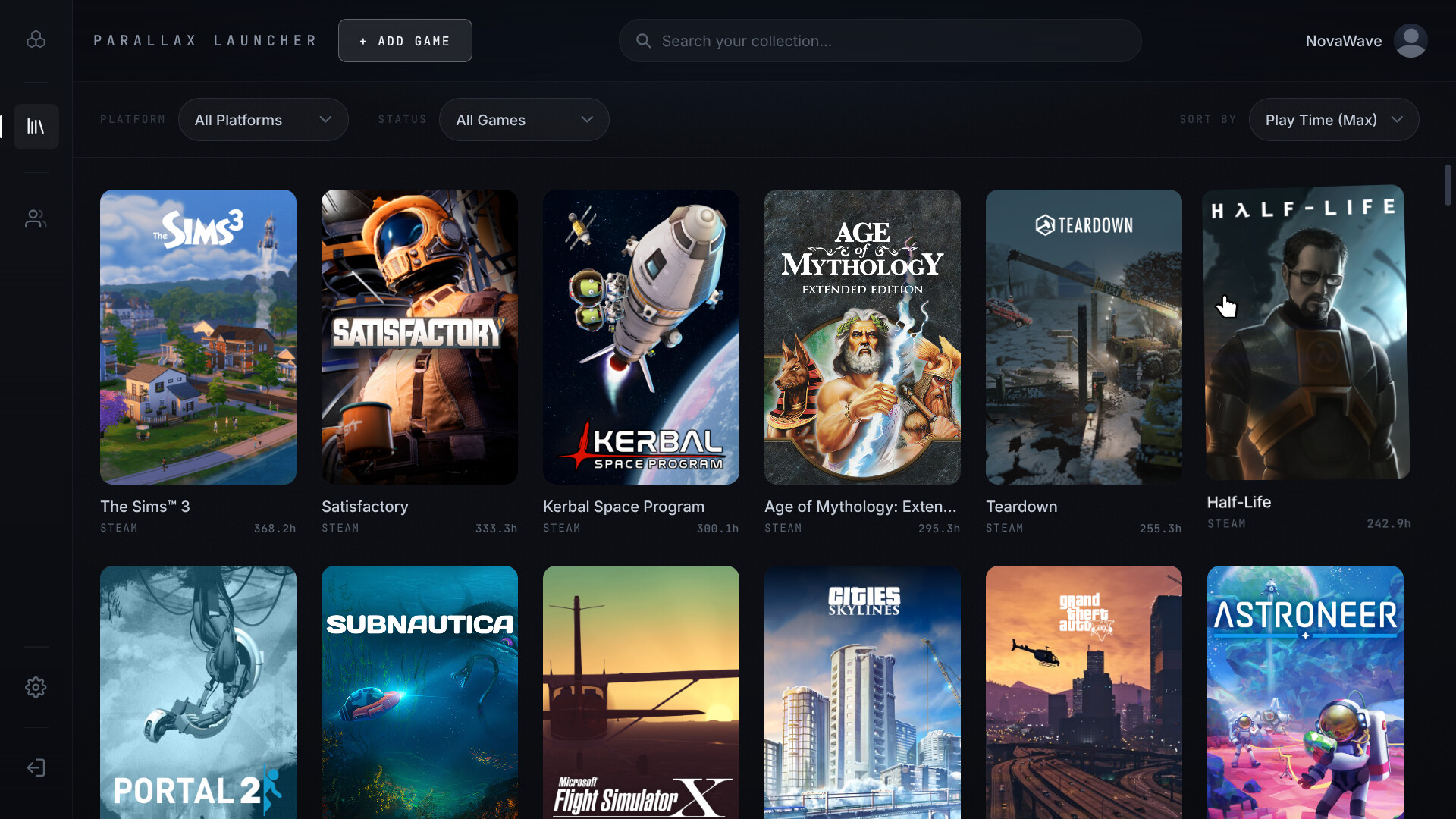
No scanning folders and hoping. Parallax opens Steam's own installation records, so what it shows you is what is actually on the disk.
Reads Steam's library folders and install manifests directly — across every drive, with the real name and app id for each one.
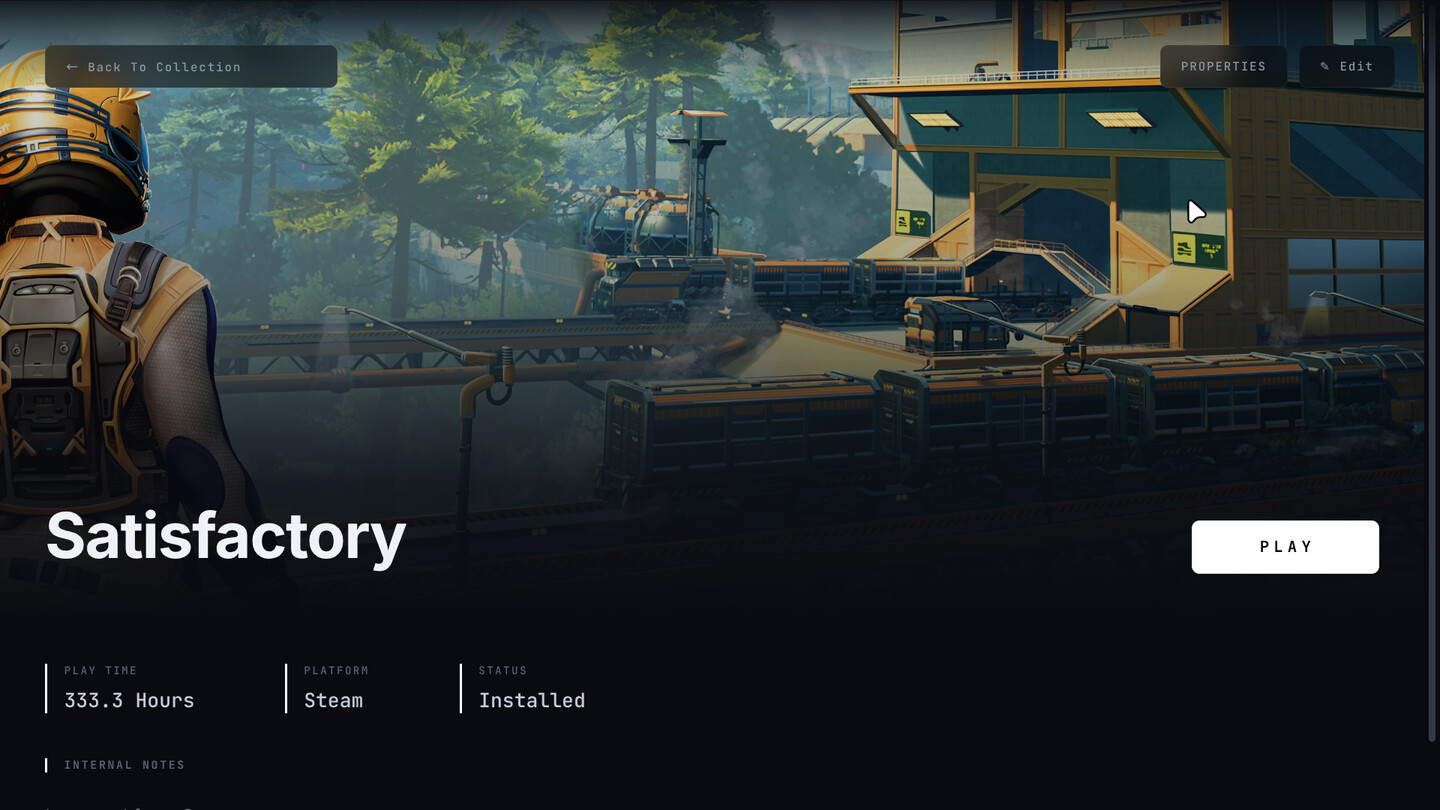
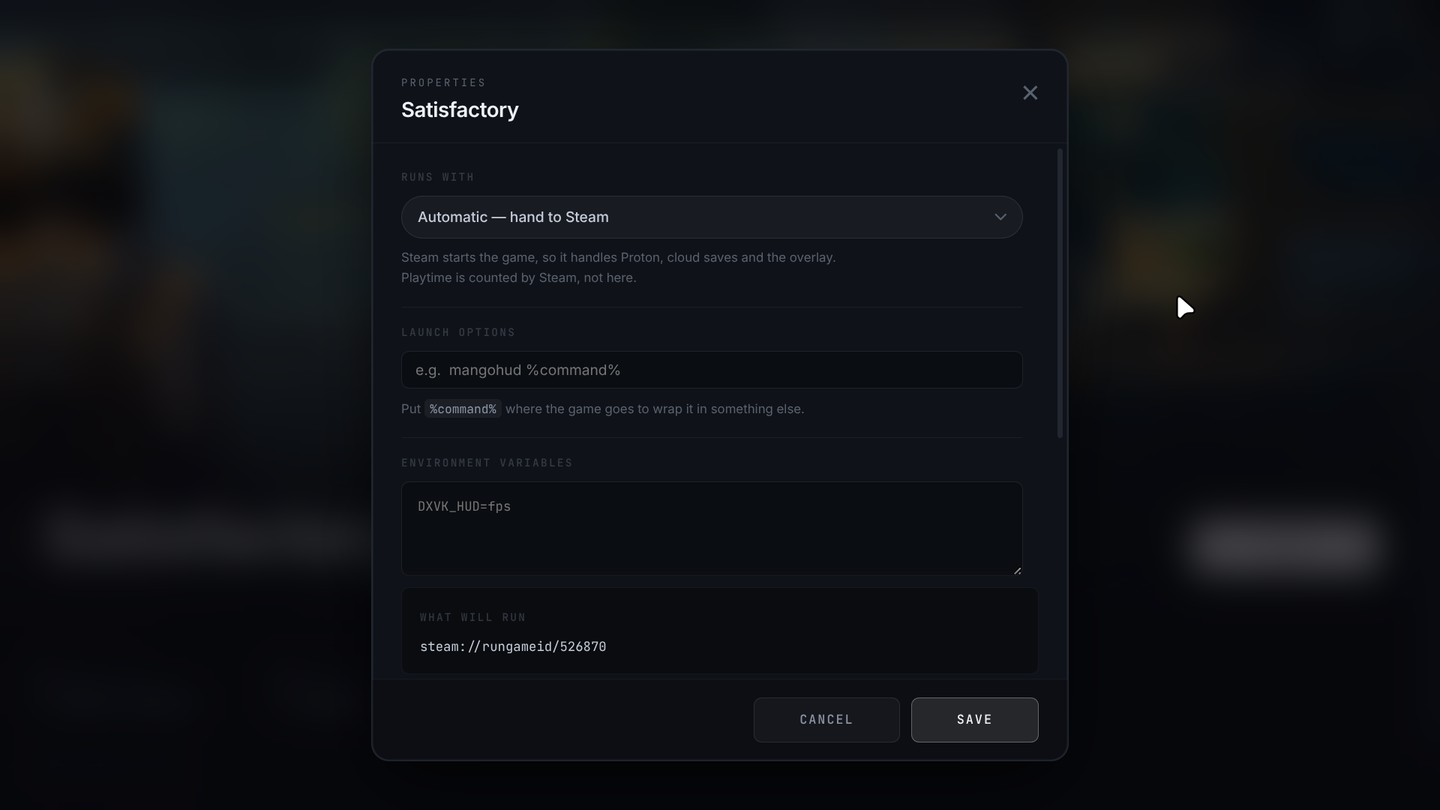
Hand the game to Steam, or run it directly so the Steam window never jumps to the front. Set per game, and it shows the exact command first.
Pulls official covers and banners from Steam's public images — free, no sign-up, no rate limit. Add a SteamGridDB key and the community's work opens up too.
Counts the sessions it starts, and merges in what Steam recorded before you ever opened this — taking the larger number, never overwriting.
Per-game runtime, launch options with Steam's %command%
syntax, environment variables, GameMode and MangoHud.
The library is a text file. The images are ordinary images. Nothing is uploaded anywhere, and there is no account to make.
Compatibility settings the way Steam lays them out — and one line the others leave out: the exact command that is about to run.
Every string in the app exists in all of them — not a partial translation that falls back to English halfway down a screen.
All three are built from the same source by the same automated run, and all three keep themselves up to date.
One file. Make it executable and run it — nothing is installed and nothing is left behind. Because it is a single file, the app can replace it: it watches for new releases and offers to fetch one.
Download AppImageInstalls the way your other software does and shows up in your menu with
everything else. It updates itself too, through dpkg — which
means it asks for your password the way any install does. Add the
repository below and your system takes that over instead.
An ordinary installer — it asks where to put things and makes the shortcuts. It watches for new versions and replaces itself when you say so.
Windows blocks it the first time — here is how to get past it Download for WindowsOn Debian or Ubuntu you can add the package repository instead and let your system handle updates — the commands are here. Running from source is in the readme.